Desktop Application Development
Electron vs Tauri: Choosing a Desktop App Framework
Published: 2026-08-11 • 8 min read
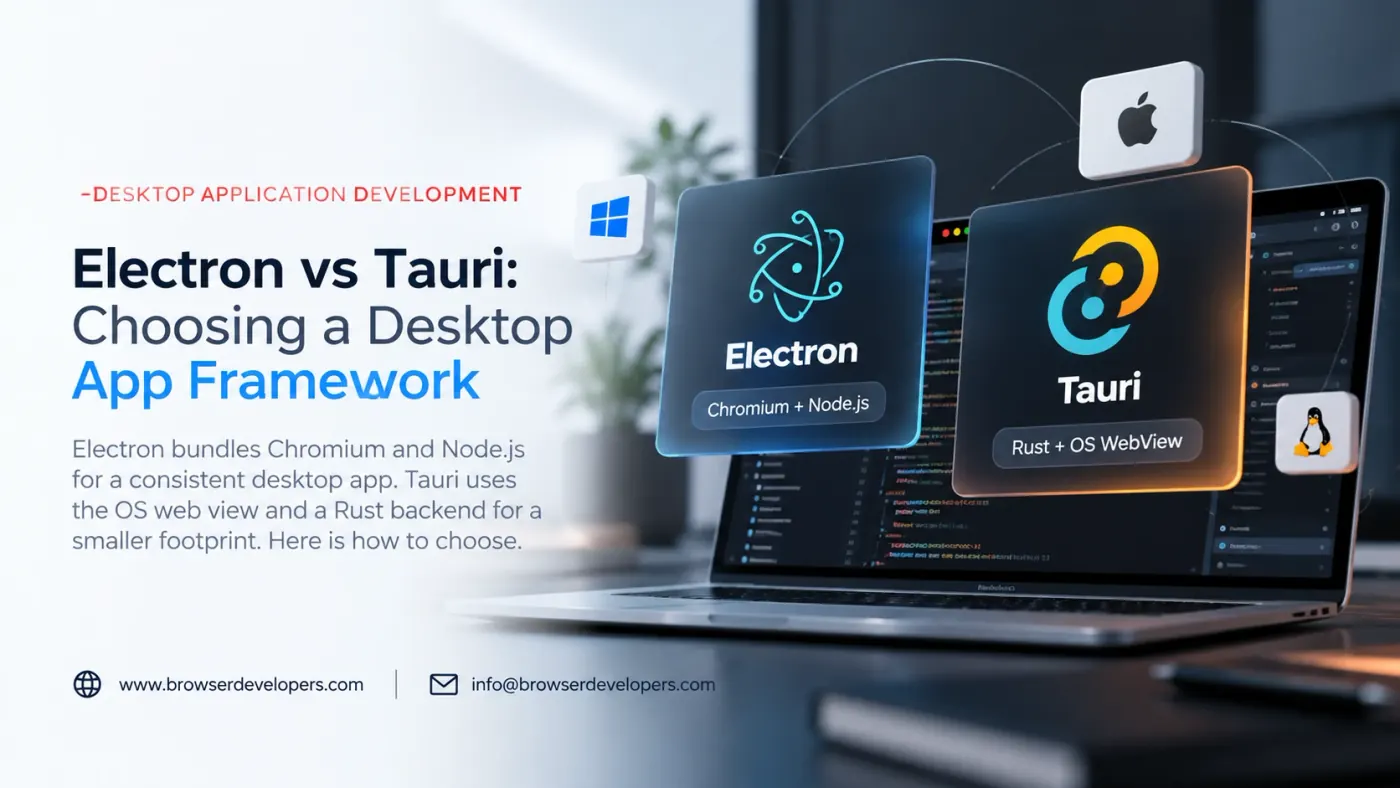
Once a team decides a desktop app should be built with web technology rather than a native toolkit, the next decision is which runtime carries that web UI to the desktop. Electron and Tauri answer that question in opposite ways, and the choice affects bundle size, memory use, rendering consistency and what language your backend logic ends up in.
What each framework actually bundles
The core difference is simple to state and has wide-reaching consequences: Electron ships its own copy of Chromium and Node.js inside every app. Tauri does not ship a browser engine at all; it opens whatever web view the operating system already provides, and pairs it with a small Rust-based backend.
Your web UI
HTML, CSS and JavaScript, rendered the same way on every platform.
Bundled Chromium
A specific Chromium version shipped inside your app, the same on every OS.
Bundled Node.js
Full Node.js runtime in the main process, for file, OS and native module access.
Operating system
Windows, macOS or Linux underneath, mostly abstracted away.
- Your product
- Upstream, kept as close to unmodified as possible
- Platforms and release
Your web UI
HTML, CSS and JavaScript, rendered through whichever web view the OS supplies.
OS web view
WebView2 on Windows, WebKit on macOS, WebKitGTK on Linux: three different engines.
Rust backend
A small Rust core handling commands from the frontend and native OS access.
Operating system
The same three platforms, each supplying its own web rendering engine.
- Your product
- Our engineering
- Upstream, kept as close to unmodified as possible
- Platforms and release
Where the difference shows up in practice
| Factor | Electron | Tauri |
|---|---|---|
| Rendering engine | Bundled Chromium, identical across platforms | OS web view: WebView2, WebKit, or WebKitGTK depending on platform |
| Typical installer size | Larger, since a full Chromium build ships with every app | Smaller, since no browser engine is bundled |
| Backend language | JavaScript/TypeScript on Node.js | Rust, called from the JavaScript frontend |
| Memory footprint | Higher, driven mainly by the bundled Chromium process model | Lower, since it reuses a web view already resident on the OS |
| Cross-platform consistency | High: same engine version everywhere | Lower: three different engines can render or behave differently |
| Ecosystem maturity | Large, long-established plugin and tooling ecosystem | Smaller but actively growing, backed by the Rust ecosystem |
None of these differences are defects in either project. They are the direct, predictable result of one design choice: whether the app carries its own rendering engine everywhere it runs, or borrows the one that is already installed.
When Electron is the better default
- Rendering has to be identical everywhere. If a pixel-level or behavioral difference between Windows, macOS and Linux is unacceptable, bundling one known Chromium build removes an entire category of platform-specific bugs.
- The backend leans heavily on Node.js. Existing Node modules, a team already fluent in JavaScript on both ends, or heavy reuse of a Node-based backend all favor Electron.
- You are extending an existing Electron product. Rewriting a mature Electron app’s backend in Rust to save on installer size is rarely worth it once the app already works and is shipping.
When Tauri is worth the investment
- Installer size and memory footprint are real constraints. Distributing to bandwidth or storage-constrained users, or running many app instances at once, makes Tauri’s lighter footprint a direct, measurable win.
- A smaller attack surface matters. Not bundling a full browser engine, and moving native access into a narrower, typed Rust command layer, reduces the amount of code exposed to a compromised frontend.
- The team can take on Rust, or already has it. Tauri’s backend is Rust-first. Teams with systems programming experience, or willing to build it, get the most out of the framework.
The rendering-consistency tradeoff, specifically
This is the detail that catches teams off guard after they have already committed to Tauri. A UI that looks correct in WebView2 during development on Windows can render CSS, fonts or a specific web API differently once tested against WebKitGTK on Linux. Budget real cross-platform QA time for a Tauri app, the same way you would for a website that has to work across browser engines, because that is structurally what it is.
Migrating between them
A frontend built with a standard framework (React, Vue, Svelte, plain HTML and JavaScript) generally carries over between Electron and Tauri with modest changes, since both frameworks are, from the frontend’s point of view, hosting a web page. The backend does not carry over: Node.js-based main-process code in an Electron app has no direct equivalent in Tauri’s Rust backend, and has to be reimplemented against Tauri’s command and plugin system. Treat a migration as a backend rewrite with a reusable frontend, not a configuration change.
Related reading
If a desktop app is only part of the picture and you are also weighing a browser extension or an embedded browser inside an existing native app, our guide to Chromium covers the comparison table teams usually work through first. For hosting web content inside an existing native application rather than shipping a new standalone app, see embedded browser development.
Frequently asked questions
Is Tauri always smaller than Electron?
Tauri installers are typically much smaller than Electron’s because Tauri does not bundle a browser engine; it uses the operating system’s own web view. The tradeoff is that your app’s runtime behavior then depends on whichever web view version is installed on that machine, rather than a Chromium build you control and test against directly.
Does Tauri render pages the same way on every operating system?
Not exactly. Tauri uses WebView2 (Chromium-based) on Windows, WebKit on macOS, and WebKitGTK on Linux. Since these are different engines with different feature and bug profiles, an app that looks and behaves identically across platforms in Electron may need per-platform testing and occasional workarounds in Tauri.
Can I write Tauri’s backend in something other than Rust?
The core backend process is Rust, but Tauri exposes commands your JavaScript frontend can call, and the ecosystem includes some higher-level tooling for teams less familiar with Rust. Teams with no Rust experience should budget time for that learning curve, or plan to bring in Rust expertise for the native side.
Which framework has better native OS integration?
Both frameworks expose native APIs (file system, system tray, notifications, menus) through their own plugin systems. Electron’s ecosystem is older and larger, with more third-party packages already written for common integrations. Tauri’s plugin system is younger but growing, and being Rust-based gives it direct access to a large existing systems-programming ecosystem.
Is migrating an existing Electron app to Tauri realistic?
The frontend (your web UI) often migrates with modest changes, since both frameworks host a web view. The backend does not: any logic written against Node.js APIs or Electron’s main-process APIs has to be reimplemented against Tauri’s Rust-based backend and command system. Treat it as a backend rewrite with a mostly-reusable frontend, not a drop-in swap.
Which one should a new project default to?
If you need guaranteed-consistent rendering across every supported OS, deep use of the Node.js ecosystem, or you are shipping to a large existing Electron user base, Electron is usually the lower-risk choice. If installer size, memory footprint and a smaller attack surface matter more than perfect cross-platform rendering consistency, and your team can take on Rust for the backend, Tauri is worth the investment.
Final takeaway
Electron trades size and memory for guaranteed rendering consistency. Tauri trades some of that consistency for a smaller, lighter app and a Rust backend. The right choice follows from which of those constraints your product actually has, not from which framework is newer or more talked about.
Planning a desktop app?
We build and maintain both Electron and Tauri applications, and can review your requirements before you commit to one framework.