
Edtech
Lockdown browsers, classroom extensions and desktop apps for edtech
Education software runs on shared, managed devices, most often Chromebooks, Windows laptops and iPads. It has to keep students on task, keep tests fair and keep student data private. We build exam lockdown browsers, managed extensions and desktop clients for edtech companies, deployable by a small school IT team.
Engineering problems
What edtech companies need on school devices
Chromebooks, Windows, Mac and iPad
A custom browser cannot replace Chrome on a Chromebook, so there we deliver force-installed extensions or kiosk web apps managed in Google Admin. On Windows and Mac, a lockdown browser or desktop app deployed through Intune or Jamf. On iPad and Mac, apps can use Apple’s assessment mode.
Fair, locked-down exams
Lockdown browsers that open only the test and block other apps, new windows, copy and paste, printing and screen capture, and that detect virtual machines or a second display where the platform allows.
Filtering and safety
Web filtering and AI image classification inside the browser, which help schools meet filtering duties such as CIPA in the U.S., with reports teachers can act on.
Student data privacy
Student browsing data stays on the device unless you choose otherwise, and anything you do collect is minimal and documented, to help you meet FERPA, COPPA and GDPR duties and school data agreements.
How we help
Services that apply
Related work
Related work from other industries
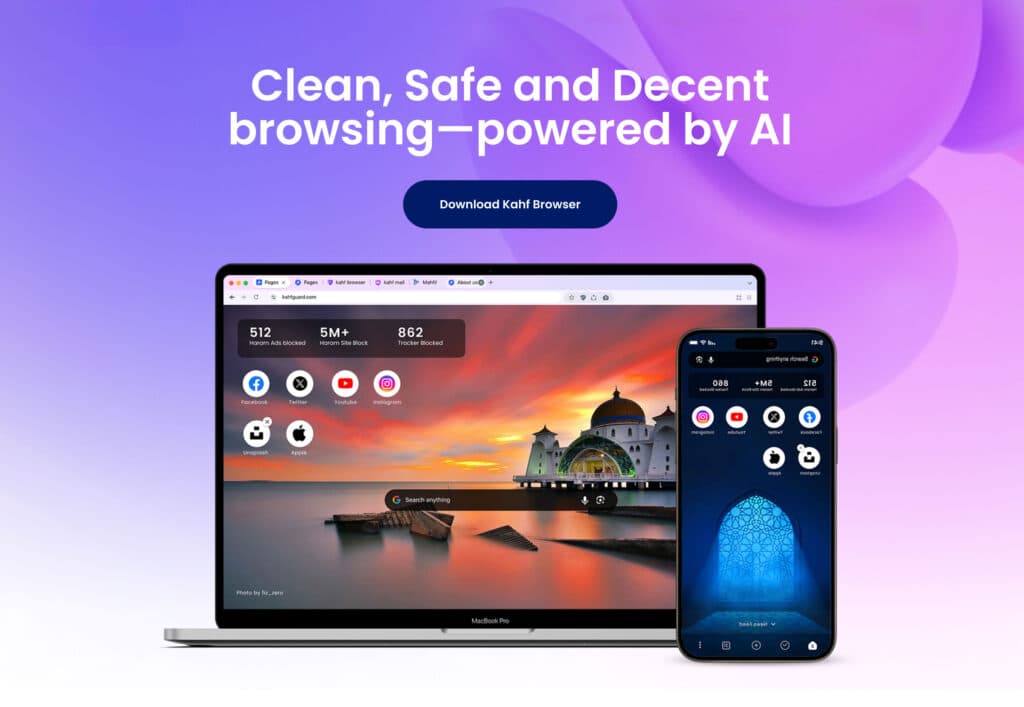
We have not published case studies from education. Kahf uses the same filtering engineering, with AI that blurs inappropriate images in the browser. XFII is a branded browser with extensions switched off, so users cannot add to it.
Family-safe and content filtering
Kahf Browser
A Chromium browser for Muslim families that blurs explicit images with AI as pages load. Kahf reports more than 280,000 active installations.
- AI filtering
- Content blurring
- Privacy

Custom Chromium and Brave builds
XFII Browser
A branded Brave-based browser with extensions switched off, a custom new-tab page and browser pages built in React.
- Brave
- React
- New-tab page
FAQ
Common questions
Yes. On Windows and macOS we build a locked-down browser that opens only the test and blocks other apps and features. On Chromebooks we use a managed kiosk app instead, and on iPad and Mac, Apple’s assessment mode. We confirm platforms and requirements first.
Yes. We provide MSI and PKG installers, Google Admin setup steps and a policy file for settings, and the app updates itself silently, so a school IT team can roll it out with the tools it already uses.
Compliance with FERPA, COPPA and similar laws belongs to you and the school. We design the software to collect as little as possible, keep data on the device by default and document every data flow, which makes your privacy reviews and school data agreements easier.
No. We build the browser and desktop layer around it: lockdown browsers, extensions and desktop clients. Your learning platform and content stay yours.
Next step
Discuss your edtech project
Book a call or send a short brief. Our engineers have built browsers, extensions and desktop apps for 11+ years, and will give you a clear view of the approach, the risks and what drives the effort.