
Embedded browsers (CEF)
CEF Transparency
A Windows build of the Chromium Embedded Framework (CEF) with see-through windows: transparent parts of a web page show whatever is behind the app window.
- CEF
- Chromium
- C++
- Windows
- Transparent rendering
- Built on
- Chromium Embedded Framework (CEF)
- Platforms we built
- Windows
- Status
- Internal build; not a public product
- Our part
- We patched CEF for transparent rendering on Windows and wrote the C++ code that hosts the view in the app.
The client and the problem
A company needed web content inside its own Windows desktop application, drawn without the solid background a browser normally paints behind a page. In a standard CEF window, parts of a page that are meant to be see-through still show up as a solid color.
What we built
“Transparency” here means see-through windows. We patched CEF so a browser view shown in a native window on Windows can paint with a transparent background: where the web page is transparent or semi-transparent, the desktop or the app behind it shows through. That lets the app place web-based panels over its own content without a white box around them. We also wrote the C++ host integration that creates, sizes and updates the view.
- CEF patched to support transparent (alpha) rendering in native windows on Windows
- C++ host integration that creates, sizes and updates the embedded view
Why it was hard
CEF normally paints an opaque background behind a page in a native window. Changing that meant working in CEF’s C++ code for window creation and background color, and the change has to be carried forward to every newer CEF release the app adopts.
How it works
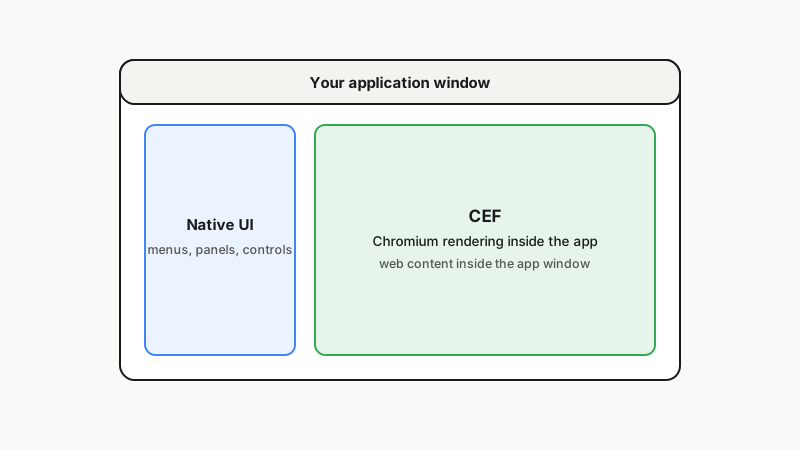
Illustration: how CEF places Chromium inside an application window.
How it fits together
How CEF Transparency fits inside the host application
Host application
The client’s product: an internal Windows application with its own native window, menus and controls.
CEF integration and transparency patch
The C++ code that creates, sizes and updates the embedded view, and the CEF change that lets it paint with a transparent background.
Chromium Embedded Framework
CEF wraps the Chromium engine for use inside another application, through its C++ API.
Internal build
- Windows
Built for the company’s own internal use, with no public store listing or installer.
- Client's product
- Our engineering
- Upstream: third-party code we build on
- Platforms and release
Related services
Facing a similar engineering problem?
Tell us what you are building. A browser engineer will walk you through how we would approach it, what is hard about it and what it takes to keep it current after launch.