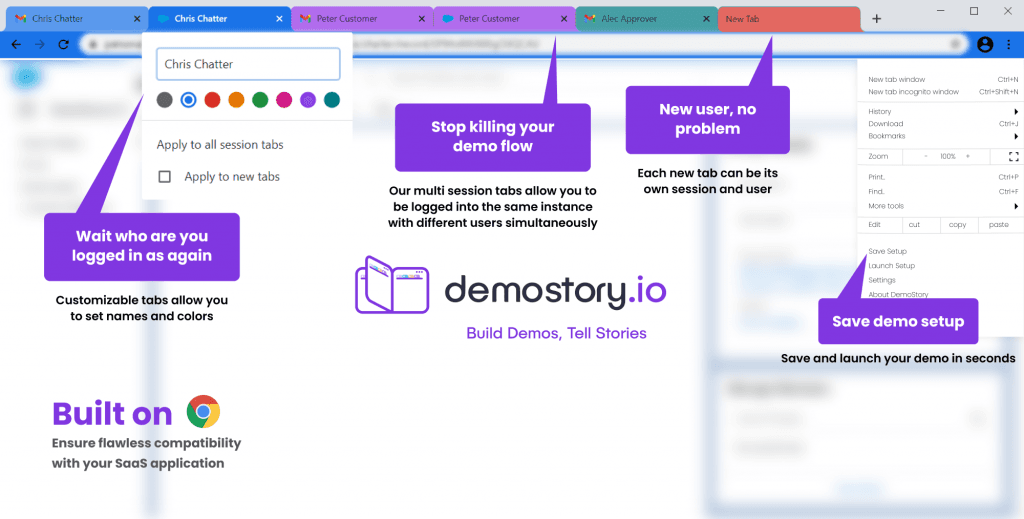
Multi-session browsers
Symphony Browser
A multi-session Chromium browser we built for a private client: every tab is its own isolated session, with fingerprint protection built in.
- Chromium
- C++
- Session isolation
- Fingerprint protection
- Built on
- Chromium
- Our part
- We changed Chromium so each tab runs as a separate session, and built fingerprint protection into the browser.
The client and the problem
The client needed many separate logins open at the same time in one window, with no data shared between them. In stock Chromium, every tab in a profile shares the same cookies, storage and cache, so a second login in a new tab replaces the first.
What we built
We changed how Chromium creates and cleans up storage and browsing contexts, so each Symphony tab runs as its own session with its own cookies, storage and cache. We also built fingerprint protection into the browser’s C++ code, covering the signals websites use to tell one device from another.
- Per-tab session isolation: separate cookies, storage and cache for every tab
- Fingerprint protection built into the browser’s C++ code
Why it was hard
Session isolation touches the code that gives each tab its storage and removes that storage when the tab closes, and every feature that reads cookies or cache has to respect the new boundaries. Fingerprint protection adds a second requirement: the canvas, WebGL, audio and font signals a site reads must stay the same for as long as a session is open.
How it works
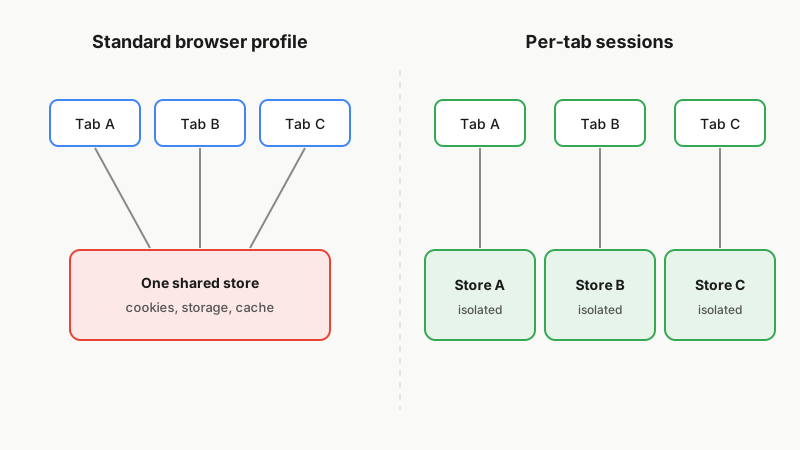
Illustration: a shared browser profile compared with per-tab sessions.
Related services
Facing a similar engineering problem?
Tell us what you are building. A browser engineer will walk you through how we would approach it, what is hard about it and what it takes to keep it current after launch.