Chromium engineering
Firefox vs Chromium: which should you build your browser on?
By Ibrahim Qureshi, Browser Engine Developer
Technically reviewed by Usman Khan, Lead Chromium Developer
Published 8 min read
Most “Firefox vs Chromium” comparisons are written for people choosing a browser to use. This one is for teams choosing an engine to build a browser on. That choice decides your licence, your build machines, your upgrade work and which extensions your users can install. Our guide to building your own browser covers the Chromium path end to end.
Should you build your browser on Firefox or Chromium?
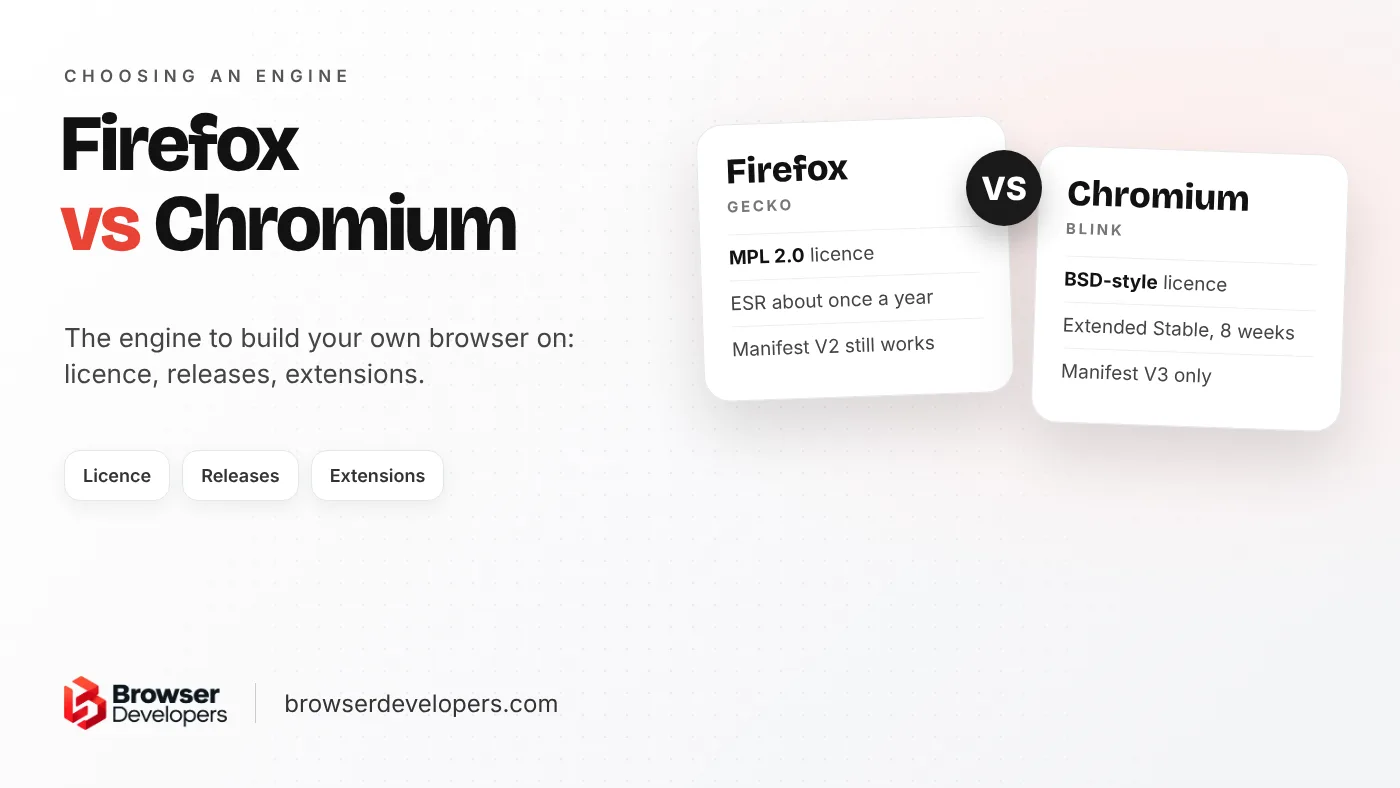
Choose Chromium for the widest site compatibility, Chrome Web Store extensions, embedding options and the most existing forks to learn from. Choose Firefox when you want an engine that is not Chromium, Manifest V2 extensions, or a privacy product built on what Firefox already has.
| Firefox (Gecko) | Chromium (Blink) | |
|---|---|---|
| Major releases | Every two weeks | Every two weeks |
| Slower channel | ESR, new major branch about once a year | Extended Stable, every eight weeks |
| Licence | MPL 2.0, file-level copyleft | BSD-style for Chromium’s own code |
| Build machine | 30 GB disk, 8 GB RAM recommended | 100 GB disk, over 16 GB RAM recommended |
| Extensions | Manifest V3 and V2, blocking webRequest | Manifest V3 |
| Embedding | GeckoView on Android | CEF, WebView2 and others |
| Known forks | Tor Browser, LibreWolf | Edge, Brave, Opera, Vivaldi and many more |
Our own record shows the usual split. Of the 18 projects in our case studies, 17 are built on Chromium, Brave or CEF, and the other is a pair of native mobile apps. Chromium is the default for good reasons, but it is not the only option.
What is the difference between Gecko and Blink?
Firefox uses Mozilla’s Gecko engine, with SpiderMonkey for JavaScript. Chromium uses Blink for rendering and V8 for JavaScript. They are separate code bases with different build tools, so a team that knows one has to relearn much of the other.
Chromium’s Blink is the rendering engine in Chrome, Edge, Brave, Opera and Vivaldi; our list of Chromium browsers has the rest. Firefox runs on Gecko, with SpiderMonkey as its JavaScript and WebAssembly engine.
The practical point for a builder: little carries over. The two share some third-party libraries, such as the Skia graphics library and Google’s WebRTC code, but build tools, source layout, patching style and the people who know them are different. A team that has maintained a Chromium fork is starting again on Firefox, and the reverse is just as true.
How often do Firefox and Chromium release new versions?
Both now ship a major version every two weeks: Firefox since Firefox 155 on 1 September 2026, Chrome since Chrome 153 on 8 September 2026. For slower updates, Firefox has ESR with a new major branch about once a year, and Chrome has Extended Stable every eight weeks.
- Firefox. Mozilla’s support blog says the first release on the two-week cadence was Firefox 155 on 1 September 2026. Before that, Firefox shipped every four weeks.
- Firefox ESR. The release calendar shows ESR 153 as the current branch and ESR 175 as the next one, in June 2027. ESR gets security and stability fixes but not each release’s new features, which suits managed deployments and slower forks.
- Chromium. Chrome moved to two-week major releases with Chrome 153 on 8 September 2026, and Extended Stable still moves every eight weeks. Our guide to Chrome’s two-week cycle covers what that means for a fork.
Some Firefox forks follow ESR rather than every release. Tor Browser is the best-known example: the Tor Project says it is based on Firefox ESR, so its patches move to a new base about once a year instead of every two weeks.
What is the difference between the MPL and BSD licences for a browser fork?
Chromium’s own code is under a BSD-style licence, which lets you keep your changes private. Firefox uses the Mozilla Public License 2.0, a file-level copyleft: if you ship modified Mozilla files, those files’ source must be available under the MPL. New files of your own can stay closed.
- Chromium. The LICENSE file is a BSD-style licence that permits redistribution with or without modification. Third-party code inside Chromium carries its own licences, so check those too.
- Firefox. The MPL 2.0 FAQ describes a “file-level” copyleft. Changes to files that contain MPL code must stay under the MPL and be made available to anyone you distribute the program to. New files with no MPL code do not.
In practice, a Firefox fork can keep its own features closed if they live in new files, but patches to Gecko or Firefox’s interface files are shared. Plan your patch layout with that in mind, and check the details with a lawyer before you ship.
How hard is it to build and rebrand Firefox compared with Chromium?
Firefox’s published build needs are lower: its docs ask for 30 GB of disk and 8 GB of RAM recommended, against 100 GB and over 16 GB for Chromium. Both can be rebranded. Firefox swaps in a branding directory, and you may not use the Firefox name or logo without Mozilla’s permission.
| Firefox | Chromium | |
|---|---|---|
| Get the code | Run bootstrap.py, then git | depot_tools, then fetch chromium |
| Build command | ./mach build | gn gen, then autoninja |
| Disk | At least 30 GB free | 100 GB free |
| RAM | 4 GB minimum, 8 GB or more recommended | 8 GB minimum, over 16 GB recommended |
The Firefox figures come from Mozilla’s Linux build guide; the Chromium ones from our Chromium build guide.
How do you rebrand a Firefox build?
Firefox keeps branding in a directory, and the build option --with-branding points the build at yours. Without official branding, a source build uses Mozilla’s unofficial branding, which names the browser “Nightly”. Mozilla’s trademark policy says the code licence gives no right to its trademarks, so a fork needs its own name and logo.
ac_add_options --with-branding=browser/branding/yourbrowserFor Chromium, our rebranding guide lists every file involved.
Do you need a fork at all?
Often not, on Firefox. A policies.json file can lock preferences, install and lock extensions, add certificates and turn off updates or point them at your own server. On Firefox projects we use policies and preferences first and patch Gecko or the Firefox interface only where they stop, because every source patch has to be carried to each new version.
Which extensions can a Firefox-based or Chromium-based browser run?
A Chromium-based browser runs Manifest V3 extensions: Chrome removed Manifest V2 support, and the last V2 extensions left the Chrome Web Store on 31 August 2026. Firefox supports Manifest V3 and still supports Manifest V2, including blocking webRequest, which matters for ad blockers and privacy tools.
- Chromium-based. Chrome 138 disabled Manifest V2 extensions for all users, and the last ones left the Chrome Web Store on 31 August 2026. Our Manifest V2 to V3 checklist covers the change. A fork can keep extensions on, switch them off or ship its own built in.
- Firefox-based. Mozilla’s add-ons blog says Firefox has no plans to deprecate Manifest V2, will keep supporting it for the foreseeable future, and keeps blocking webRequest. It promised at least 12 months’ notice if that changes.
If your product depends on Manifest V2 extensions from other developers, that difference alone can decide the engine. If you only need ad or tracker blocking, a Chromium-based browser can build it into the browser itself, with no extension at all. We did that for BrowseWeb3, which has its own ad blocking built in. Chrome also still allows blocking webRequest for extensions installed by enterprise policy. Our extension vs custom browser guide covers the extension limits in Chrome.
Can you embed Gecko in an app like you can embed Chromium?
On Android, yes: Mozilla ships GeckoView, a library that puts Gecko inside an Android app. On desktop, the common embedding frameworks for Windows and cross-platform apps, CEF and WebView2, are both Chromium-based, so most such apps end up on Chromium.
GeckoView is Mozilla’s Android library for putting Gecko inside an app. For desktop apps, our CEF vs WebView2 vs WKWebView guide compares the options: CEF and WebView2 are Chromium-based, and WKWebView uses Apple’s WebKit.
When should you build on Firefox instead of Chromium?
Build on Firefox when not depending on Chromium is part of the product, when your users need Manifest V2 or blocking webRequest, or when a managed Firefox with policies covers most of the need. Otherwise Chromium is the lower-risk choice.
| If you need… | Build on |
|---|---|
| The widest site compatibility and Chrome Web Store extensions | Chromium |
| A browser inside a desktop app | Chromium (CEF or WebView2) |
| Every source change kept private | Chromium (BSD-style) |
| An engine that does not depend on Chromium | Firefox |
| Manifest V2 extensions from other developers | Firefox |
| A managed company browser set up with policies | Firefox (often no fork needed) |
| Fewer upgrades, security fixes only | Firefox ESR or Chrome Extended Stable |
Final takeaway
Chromium is the default because most of the ecosystem is built on it. Firefox is the right base when not being Chromium is the point, or when its extension rules fit your product better. Either way, budget for a new upstream release every two weeks.
Frequently asked questions
Which browsers are based on Firefox?
Tor Browser is based on Firefox ESR and heavily modified for the Tor network. LibreWolf describes itself as a custom version of Firefox focused on privacy. Mullvad Browser, developed by the Tor Project, is described by Mullvad as a Tor Browser without the Tor Network. All three show the usual pattern: a privacy product that takes Firefox and adds patches and new defaults.
Can a Firefox-based browser use Gecko on iPhone?
Not in most countries. Apple’s App Store rules require browsers to use WebKit, with entitlements for other engines only in the EU and Japan. Outside those markets, a Gecko or Blink browser on iPhone runs on WebKit underneath.
Is Gecko faster than Blink?
There is no single answer. Results change with the benchmark, the version and the hardware, and both engines change every two weeks. If speed decides your choice, test your own target sites on current builds of both.
Choosing an engine for your browser?
Tell us what the browser has to do. We will tell you which engine fits, where configuration ends and source changes begin, and what upkeep to plan for. See our custom Firefox browser development service.